UTM Parameters: A Complete Guide to Tracking Campaign Links
What each UTM tag is for, how to name them so reports stay tidy, a ready-made plan for every channel, and how to find the results in GA4.

Key takeaways
- UTM parameters are five optional tags on a link. They tell your analytics where a visitor came from and which campaign sent them.
- Source, medium and campaign matter most. Content and term split one campaign into smaller pieces.
- Use lowercase, no spaces and a fixed word list. Otherwise facebook, Facebook and FB become three rows in every report.
- Never tag links between pages of your own site. It wipes out the real source of the visit.
- GA4 shows session source, medium and campaign under Reports, Acquisition, Traffic acquisition.
UTM parameters are short tags that you add to the end of a link. An example is ?utm_source=newsletter&utm_medium=email&utm_campaign=spring-sale. They tell your analytics tool where a visitor came from. Without them, a click from an email, a printed poster or a paid post all look like "direct" or a vague referral. With them, you can see which channel, campaign and even which button brought each visit and sale. This guide covers the five parameters. It shows how to name them and gives you a tagging plan to copy. It also explains where the numbers show up in Google Analytics 4.
The five UTM parameters
UTM stands for Urchin Tracking Module. Urchin was an analytics product. Google bought it in 2005 and turned it into Google Analytics. The parameters are plain fields at the end of a web address. Any analytics tool that reads them will work. A site that ignores them is not harmed. Three are essential and two are optional.
| Parameter | Status | Question it answers | Example values |
|---|---|---|---|
utm_source | Required | Which site, platform or publication sent the click? | newsletter, facebook, google, partner-blog |
utm_medium | Required | What kind of channel was it? | email, social, cpc, display, qr, referral |
utm_campaign | Required in practice | Which campaign, promotion or launch? | spring-sale-2026, product-launch, weekly-digest |
utm_content | Optional | Which link, creative or placement within the campaign? | hero-button, footer-link, video-ad-a |
utm_term | Optional | Which keyword or audience? | running-shoes, lookalike-buyers |
Here is a simple way to keep source and medium straight. The medium is the type of pipe. The source is the exact pipe. Email is a medium. Your Mailchimp newsletter is a source. Social is a medium. Instagram is a source. Paid search (cpc, which means cost per click) is a medium. Google or Bing is the source. If you mix them up, the reports still appear. But every channel comparison becomes useless.
GA4 also understands a newer field called utm_id. It links a click to a campaign set up in a cost data import. A few other fields exist for single platforms too. For most teams, the classic five are all you need.
Naming conventions that keep reports clean
Analytics tools treat every different value as a different row. Facebook, facebook and FB count as three sources. Their traffic is split three ways. So a channel that sent 900 visits looks like three channels that sent 300 each. The fix is a short set of rules. Apply them before any link goes out.
- Use lowercase for everything. Values are case sensitive. Pick lowercase once and forget about it.
- Use no spaces. A space turns into
%20or a plus sign. Tools do not always treat the two as equal. Use a hyphen or an underscore between words, and stick to one. - Keep a fixed word list for source and medium. Write the allowed values down. If a new channel appears, add it to the list. Do not make up a value on the spot.
- Put the date in the campaign name when a campaign repeats. You can compare
black-friday-2026withblack-friday-2025. A plainblack-fridaycannot be split by year. - Be specific in content and general in campaign. The campaign groups everything together. The content tag tells the pieces apart.
- Never put personal data in a parameter. UTM values show up in web addresses, browser history, server logs and shared screenshots. Do not put an email address or customer ID there.
The quickest way to make a safe value is to slugify the name. This means turning it into lowercase words joined by hyphens. "Spring Sale: 20% Off!" becomes spring-sale-20-off. The punctuation is gone and the case is fixed. The URL slug generator does this for you. Run every campaign name through it before it goes into a spreadsheet.
GA4 sorts traffic into default channels by looking at the medium. Use these mediums: email, cpc, paid_social, social, display, affiliate and referral. Then the Default channel group report sorts itself out. If you make up your own, such as newsletter as a medium, that traffic lands in Unassigned.
A tagging plan you can copy
The table below is a full plan for a small business or marketing team. Source and medium come from a fixed list. The campaign is the promotion or the repeating series. Content names the exact link or creative (the ad or image). Term is mostly left empty outside paid search.
| Channel | utm_source | utm_medium | utm_campaign | utm_content | utm_term |
|---|---|---|---|---|---|
| Newsletter | newsletter | weekly-digest-2026-w12 | hero-button, article-2, footer | (empty) | |
| Transactional email | system | order-confirmation | track-order-link | (empty) | |
| Organic social | instagram, linkedin, x | social | product-launch-2026 | bio-link, post-14-march, story | (empty) |
| Paid social | facebook, tiktok | paid_social | spring-sale-2026 | video-a, carousel-b | lookalike-buyers |
| Paid search | google, bing | cpc | spring-sale-2026 | ad-group-name | running-shoes |
| Display and banners | partner-site | display | spring-sale-2026 | 300x250, leaderboard | (empty) |
| Print and QR | poster, flyer, packaging | qr | store-opening-leeds | window, till-receipt | (empty) |
| Partners and affiliates | partner-name | affiliate | evergreen | review-article | (empty) |
Two notes on the plan. First, Google Ads adds its own click identifier (gclid) by itself, so manual tags are optional there. If you add them anyway, keep the values the same as in the rest of the plan. Then paid search and paid social sit side by side in reports. Second, qr is not one of GA4's default channel words. So that traffic will show under Unassigned. You can fix this with a custom channel group. It takes two minutes. It is worth doing if print is a real part of your marketing.
Building a tagged link, step by step
Start with the page you are sending people to, exactly as it should load. Then add the parameters. Here is an example for a newsletter that promotes a sale:
Landing page: https://example.com/spring-sale
Source: newsletter, medium: email, campaign: spring-sale-2026, content: hero-button.
Result: https://example.com/spring-sale?utm_source=newsletter&utm_medium=email&utm_campaign=spring-sale-2026&utm_content=hero-button
The normal rules of a web address still apply. The first parameter starts with a question mark. Every later one starts with an ampersand. Sometimes the page address already has a query string, such as ?size=large. Then add the UTM fields with an ampersand, not a second question mark. A second question mark breaks the link. Any character that is not a letter, digit, hyphen, underscore or dot should be percent-encoded. That means swapped for a code like %20. The UTM builder does all of this. It makes the values lowercase and warns you about spaces. It joins the parameters in the right order and gives you one link to copy.
Keep a shared spreadsheet with one row per link. Add the date, the channel, the five values and the final link. It is the only reliable way to answer "what did we call the March campaign?" six months later. It also stops two people from tagging the same campaign in two ways.
The page the link lands on matters as much as the link. Say someone pastes a tagged link into a chat or a social post. The preview card comes from the Open Graph tags on that page. A canonical tag tells search engines that the tagged and untagged addresses are one page. If your page lacks them, the Meta Tag Generator writes the title, description, canonical, Open Graph and X Card tags from a few fields. The share image works best at about 1.91 to 1 (1200 by 630 pixels). The Image Cropper offers that shape as a ready-made crop.

Mistakes that quietly ruin the data
Tagging links inside your own site
This is the most harmful mistake. It is common because it feels harmless. A visitor arrives from a Google search. They click a homepage banner tagged utm_source=homepage&utm_medium=banner. From then on, the analytics tool thinks the visit came from "homepage / banner". The organic search that really brought them is lost. Your own site now shows up as a traffic source. Use UTM tags only on links that start outside your website. These are emails, social posts, adverts, partner sites and print. To measure internal banners, use event tracking instead.
Inconsistent casing and spelling
We covered this already, but here is the real cost. A team that uses LinkedIn, linkedin and Linkedin will see three rows in every source report from then on. Analytics tools do not merge old data. Fix the rule now. The old rows will stay split.
Missing medium or source
If a required field is blank, GA4 shows (not set). The traffic cannot be given a channel. Every link needs source, medium and campaign at the very least.
Reusing a campaign name for different things
A campaign value should mean the same thing everywhere. Say the email team uses launch for a product launch. Say the social team uses launch for a store opening. The campaign report then adds the two together.
Tagging links to other people's sites
The analytics on the destination site reads UTM parameters, not yours. If you tag a link to a partner's page, it only helps the partner. And it only helps if they expect your values.
Anyone can see UTM values in the address bar. They are also copied when a visitor shares the link. Do not use anything you would not want a customer to read, such as utm_content=cheap-segment.
Reading the results in GA4
Google Analytics 4 saves UTM values against the session. It also saves them against the user's first visit. It shows them in two different places. This confuses almost everyone at first.
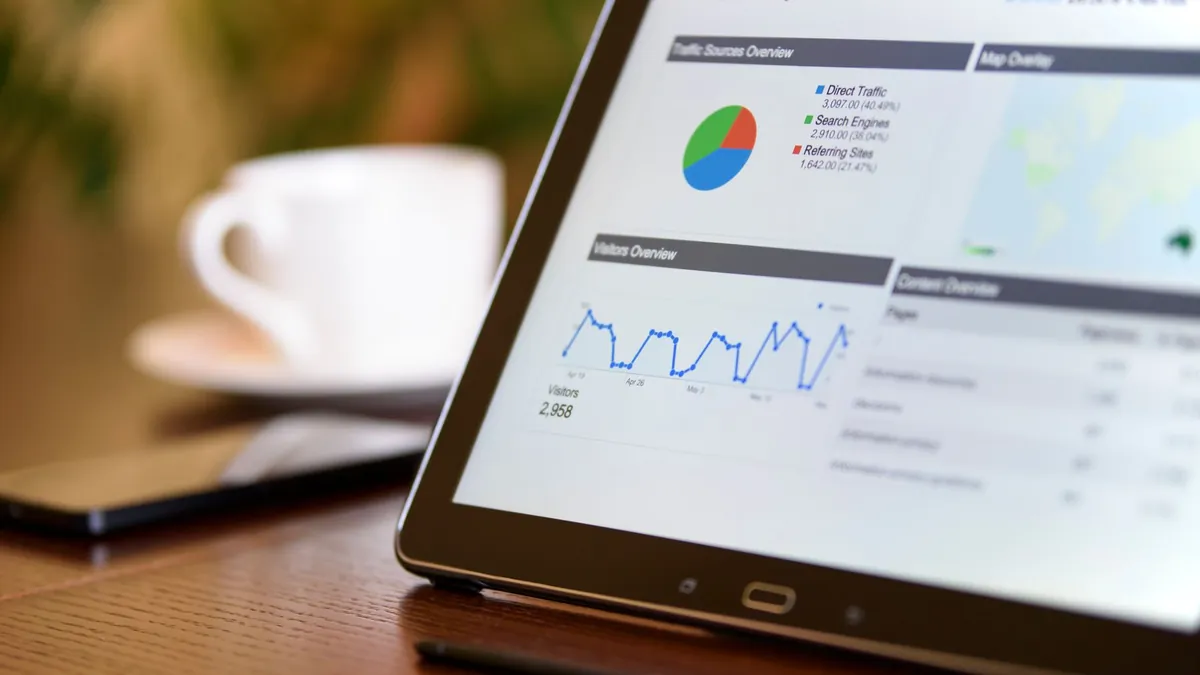
- Reports, Acquisition, Traffic acquisition is based on sessions. The default dimension is Session default channel group. Switch it to Session source / medium or Session campaign to see your tags. Use this report to ask "how did this week's visits arrive?".
- Reports, Acquisition, User acquisition is first-touch. It shows the source and campaign that first brought each user to the site. It does not matter how many visits ago that was. Use this report to ask "which campaigns find us new people?".
The content and term fields are not in the standard tables. To see them, open Explore and create a free-form exploration. Add the dimensions Session manual ad content and Session manual term. These are GA4's names for utm_content and utm_term. ("Manual" tells them apart from values that Google Ads sets by itself.) Put Sessions, Conversions or Key events in the metrics. Now you have a table that shows which button in which email did the work.
Two points about timing will save you a lot of confusion. Standard reports can take 24 to 48 hours to fill in. So check the Realtime report right after you send a campaign. It confirms that the tags are arriving. Also, GA4 uses data-driven attribution by default. A conversion may be shared between several campaigns. It is not always credited to the last click. The Advertising section lets you compare models.
Shortening links and putting them on paper
A fully tagged link is often 120 to 180 characters long. That is fine in an email button. It looks ugly almost everywhere else. There are two cases where you should act.
The first is anywhere people type the link or hear it read aloud. Examples are social bios, printed materials, radio and slides. A link shortener makes a short address that sends people to the long one. The UTM tags survive, because they are part of the destination. The visitor sees the short link. The analytics tool sees the full tagged address. Use a shortener you control, or one that lets you edit the destination later. You cannot change a printed link once it is out.
The second is QR codes, where length matters in a physical way. Every extra character adds modules (the small squares) to the code. A denser code is harder to scan from far away or on a curved surface. About 50 characters fit in a 29-by-29 module code (version 3). A 150-character tagged address needs roughly 45 by 45 (version 7), and it prints badly at small sizes. The sensible plan is to shorten the tagged link first. Then make the code from the short link with the QR code generator. Print it at 2 cm square or bigger, with a quiet margin around it.
A shop opening in Leeds prints 500 flyers and puts a code in the window. There are two links and two sources: utm_source=flyer and utm_source=window. Both use utm_medium=qr and utm_campaign=store-opening-leeds. A month later, the Traffic acquisition report shows 312 sessions from the window and 41 from the flyers. This tells them where the next print budget should go.
Where to go next
Build your first link with the UTM builder. Run campaign names through the URL slug generator so they are lowercase and have no spaces. Then turn the finished link into a scannable image with the QR code generator. All three run in your browser. The links you are drafting never leave your machine.
Frequently asked questions
Do UTM parameters affect SEO?
Not when you use them correctly. Search engines treat the tagged and untagged versions of a page as the same content. This works when the page has a canonical tag that points at the clean address. Almost every modern site platform adds that tag by itself. The one thing to avoid is linking to tagged addresses from inside your own site. That creates duplicate addresses and also ruins your traffic source data.
Should I use UTM tags on internal links?
No. A UTM tag on a link between two pages of your own site tells the analytics tool that a new visit has arrived from that source. This wipes out the real source. Say a visitor came from a search engine and then clicked a tagged homepage banner. The visit is recorded as coming from the banner. Use UTM tags only on links that start outside your site. Measure internal banners with event tracking.
Are UTM parameters case sensitive?
Yes. Google Analytics and most other tools treat facebook, Facebook and FACEBOOK as three different sources. Each one gets its own row. Old data is never merged, so a casing mistake stays in every report that covers that date range. The simplest fix is to make every value lowercase. A UTM builder can do this for you. Also keep a written list of approved source and medium names.
What is the difference between utm_source and utm_medium?
The medium is the type of channel. The source is the exact place within it. Email is a medium. The sending platform or list, such as newsletter, is the source. Social is a medium. Instagram or linkedin is the source. Paid search uses cpc as the medium and google or bing as the source. Keep this split the same every time. Then your channel comparisons mean something.
Do I need UTM tags on Google Ads links?
Not strictly. Google Ads auto-tagging adds a gclid parameter. It passes campaign, ad group and keyword data into Google Analytics on its own. That data is more detailed than manual tags. Manual UTM tags are still useful in two cases. One is when you send that traffic to a different analytics tool. The other is when you want paid search to use the same names as your other channels. GA4 can be set to let manual tags win over auto-tagging.
How many UTM parameters should I use?
Always use source, medium and campaign. Without all three, the visit cannot be placed in a channel and campaign properly. Add utm_content when one campaign has more than one link or creative, so you can tell them apart. Keep utm_term for paid search keywords or audience names. Do not invent extra parameters beyond the five. Analytics tools ignore them.
Try the tools from this guide
Related guides

JSON Formatting and Validation: Syntax Rules, Common Errors and Fixes
Why a file that looks fine will not load. The ten mistakes behind most broken JSON, how to escape text, when to minify, and how to move data between CSV and JSON.
Read the guide
How Image Compression Works: Lossy, Lossless and the Quality Slider
JPEG, PNG and WebP shrink pictures in very different ways. Here is what actually happens to your pixels, what the quality setting controls, and when resizing beats compressing.
Read the guide
How Loan EMI Is Calculated, Step by Step With Examples
An EMI is one fixed monthly payment that clears a loan and its interest by the final month. Here is the formula, a worked example and what changes the total you pay.
Read the guide